 BiteMemo
TL;DR
How to revisit your goals
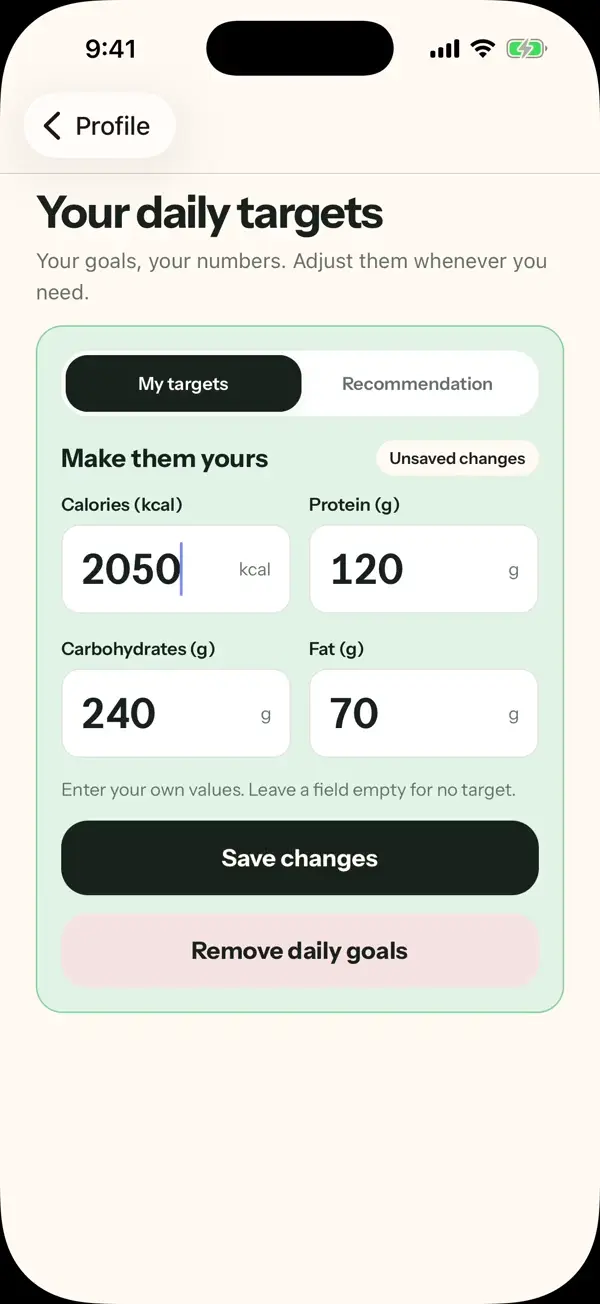
- Open Profile, then Daily targets.
- Choose Recalculate and review the guided steps.
- Check the recommendation before applying your chosen targets.
Nutrition values from photos and descriptions are estimates and can be edited.
The details
Here is what changed, how to use it, and where you can find it.
Start with your information
The full-screen guide walks through your details, activity, and goal. Review the information you enter before using the resulting recommendation.
Recalculate when your plan changes
Daily targets gives you a clear way to reopen the guide. A recommendation is a planning estimate; you decide which values to apply.
Keep control of your targets
You can also edit individual calorie and macro targets directly. A recommendation does not replace saved targets until you apply your choice.
Availability
Update in the App StoreReady when you are.
iOS 1.1.0+ · 2026-10-05